Cellar
The whole cellar on one screen
Fermentation, maturation, cooling, cleaning and yeast. It all comes from the readings operators enter at the tank with their phone.
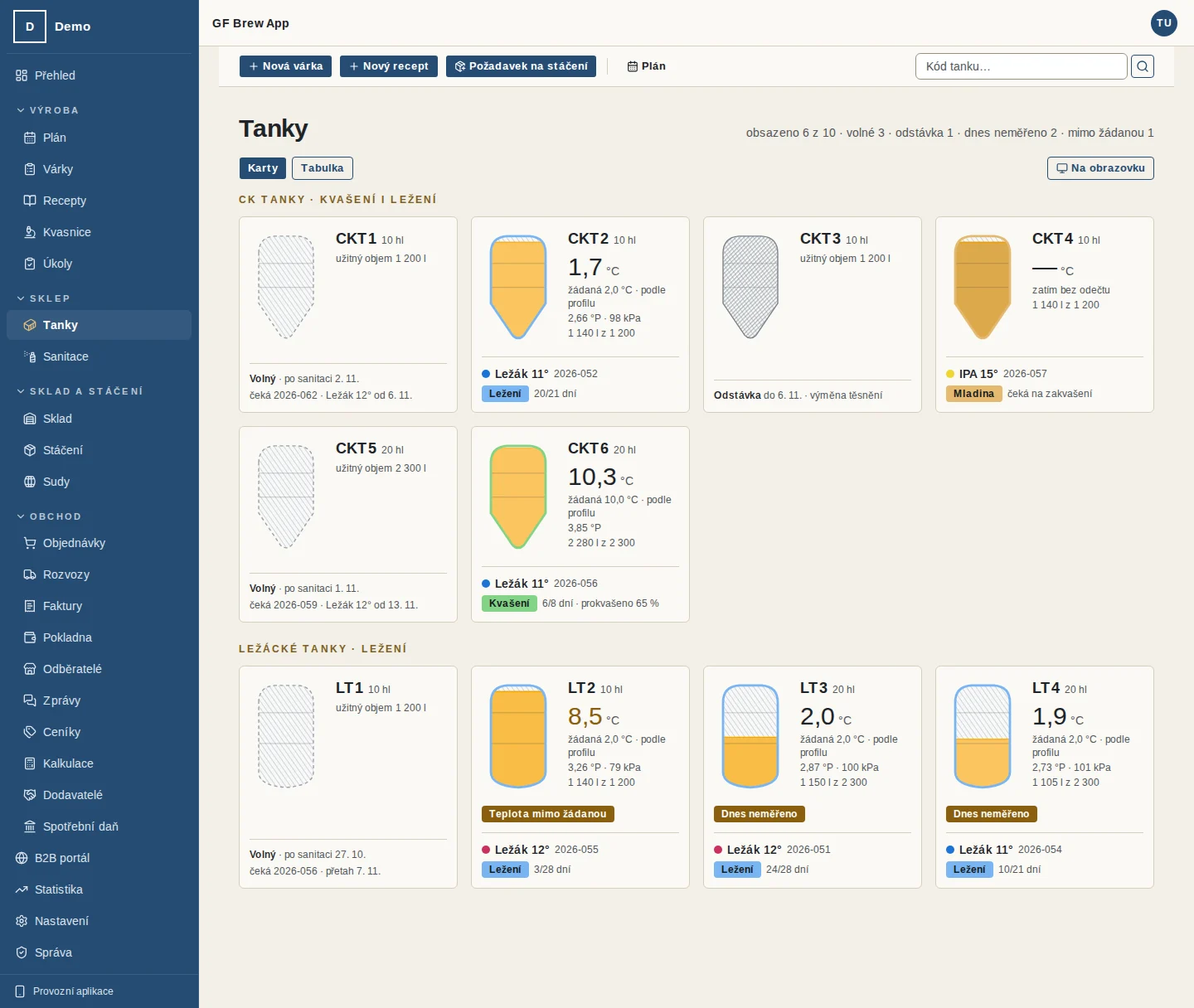
Tanks and fermentation
The Tanks page shows every tank as a card or in a table: what is in it, the day of fermentation, attenuation in per cent, the last temperature and extract. A tank that has not been measured today and a temperature off the setpoint are marked.
The tank card has a timeline of the phases with the estimated end of fermentation and packaging day, and roughly how much beer will reach packages once the residue below the outlet is taken off. The fermentation end estimate comes from the extract curve once there are at least three readings and the recipe has a target extract.
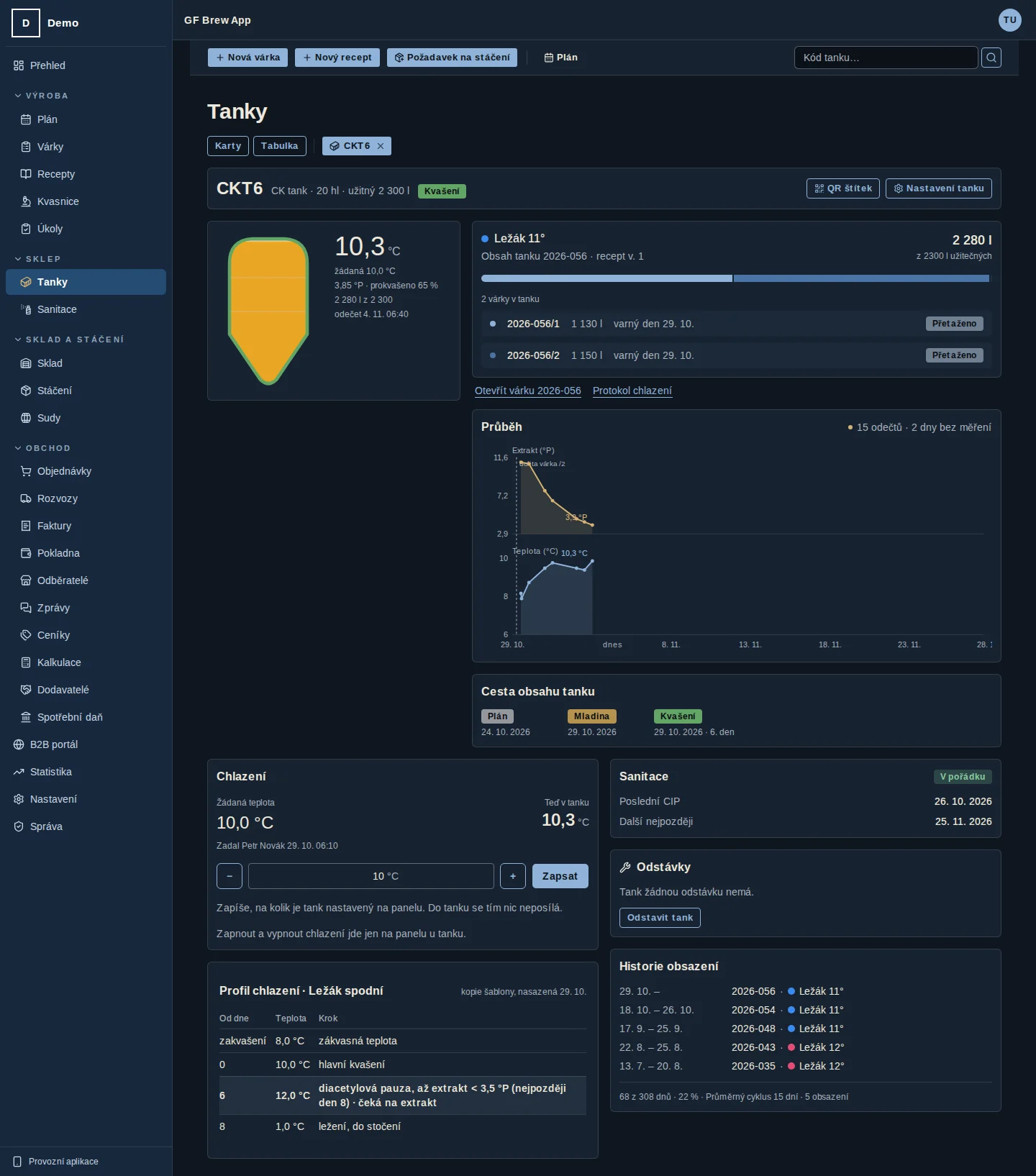
The tank detail shows the progress chart with the cooling profile, the batches in the tank with their brew sheets and occupancy over the last six months. The temperature course of up to three earlier batches of the same recipe can be overlaid on the batch chart.
- A mode for a wall monitor in the cellar: read only, refreshed every minute
- Phone notifications: fermentation done, gravity stalled, ready to package
- A morning summary of how many tanks need a reading
- Vessel downtime for repairs or service
Cooling profiles
A cooling template is attached to the tank. A step can wait for the extract, for example a diacetyl rest until the extract drops below a set value. Operators get an instruction on the phone to set the tank to a given temperature and confirm "I changed it".
Operators set the temperature on the tank panel and the app records when it happened. Each tank has a printable cooling protocol with the fermentation chart and cellar losses.
Cleaning
Cleaning procedures with steps, chemicals and concentration. Cleaning is triggered after a vessel is emptied or by interval, and it has a validity period.
Operators scan the QR code of the equipment and go step by step, recording temperature and concentration. Every cleaning produces a printable CIP protocol. Cleaning is scheduled 0–2 days before every vessel filling and the plan shows when it did not happen.
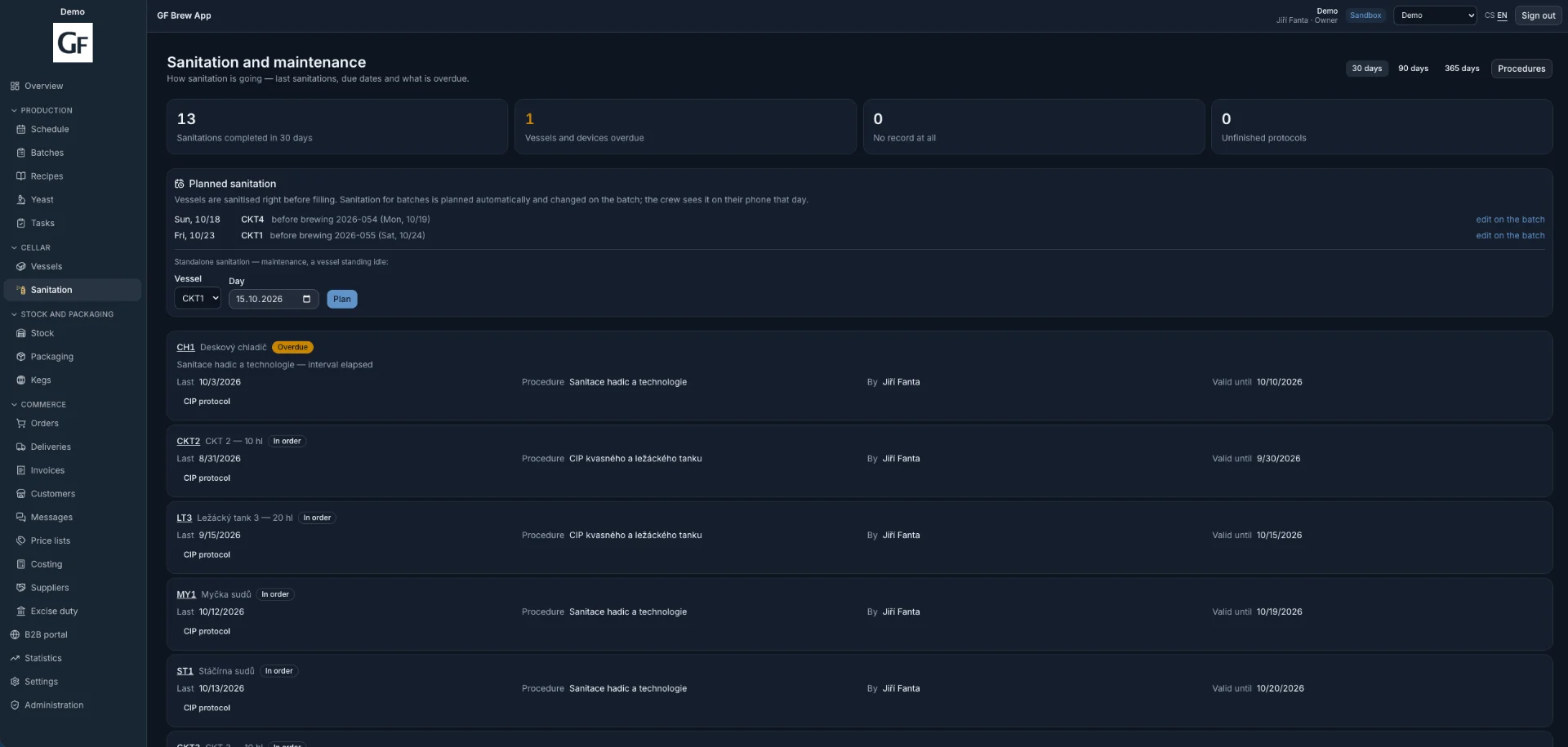
- Overview: what is overdue and what has no record at all
- Entries work without signal too
- A vessel taken out of service cannot be scheduled
Yeast
Strains, yeast lots with a label, and generations. The generation is derived from the chain of pitches; purchased yeast is generation zero.
Harvest from a fermented tank, pitching with wort temperature and aeration, appearance and smell picked from a list. For each strain the head brewer sets after which generation to discard the yeast, and lots that reach it are marked "Due for disposal".
- Number of pitches for every lot
- Entry from the phone at the tank
Demo and contact
See what it looks like
Get 14 days of access to a sample brewery with real data. If you like it, we set up a 60-day trial with your own brewery so you can try the app on your own data.
14-day demo · your own brewery on a 60-day trial · monthly, no commitment